


Astro solves the technical half of a modern website remarkably well. What it does not give designers is a place to design.
That gap is the reason a visual builder for Astro matters. The interesting answer is not another closed website platform. It is a canvas that still writes real Astro files.
sitereal is that kind of tool: a visual builder for Astro that keeps the project open. I purchased a lifetime license, have been using it on this studio site, and I am planning to take it into client work. This article is not sponsored. It is a first-hand introduction to the approach that has been most useful so far.
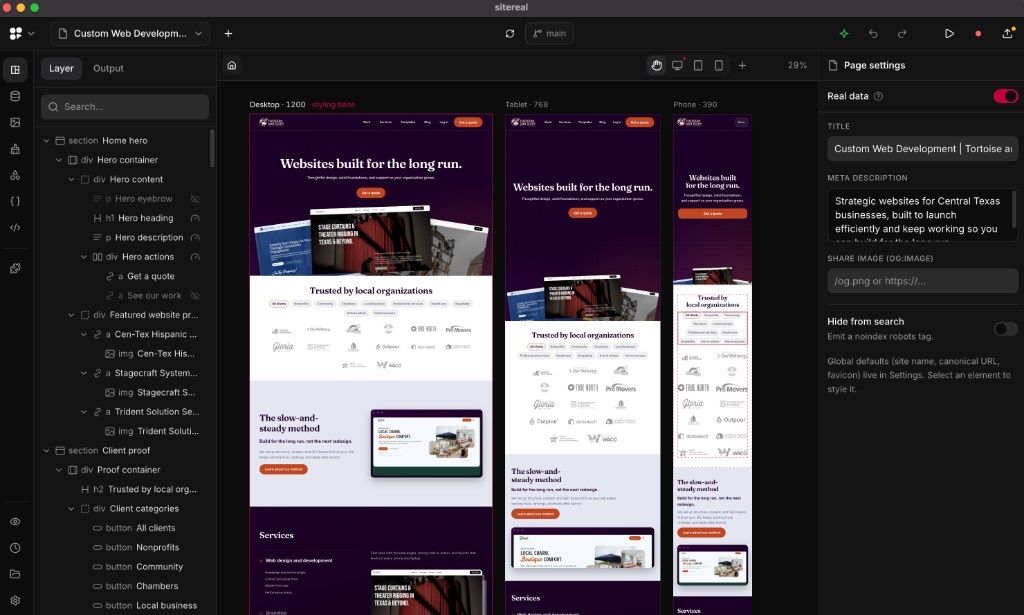
The multi-breakpoint canvas is the point
Webflow proved that serious web work can happen visually. Coming from that world, the missing piece in code-first Astro work was never "can I generate a page?" It was "can I see the composition while I shape it?"
sitereal's canvas answers that with desktop, tablet, and phone side by side. You keep a layer tree on one side, page settings on the other, and the relationships stay visible while you work. Hierarchy, spacing, and stacking do not wait for a separate preview refresh.
That multi-breakpoint layout has been a very smooth experience. Webflow took a long time to reach this kind of simultaneous responsive view. Having it available while still landing on ordinary Astro files is the part that makes the category feel real.
A design system before the blank page gets lonely
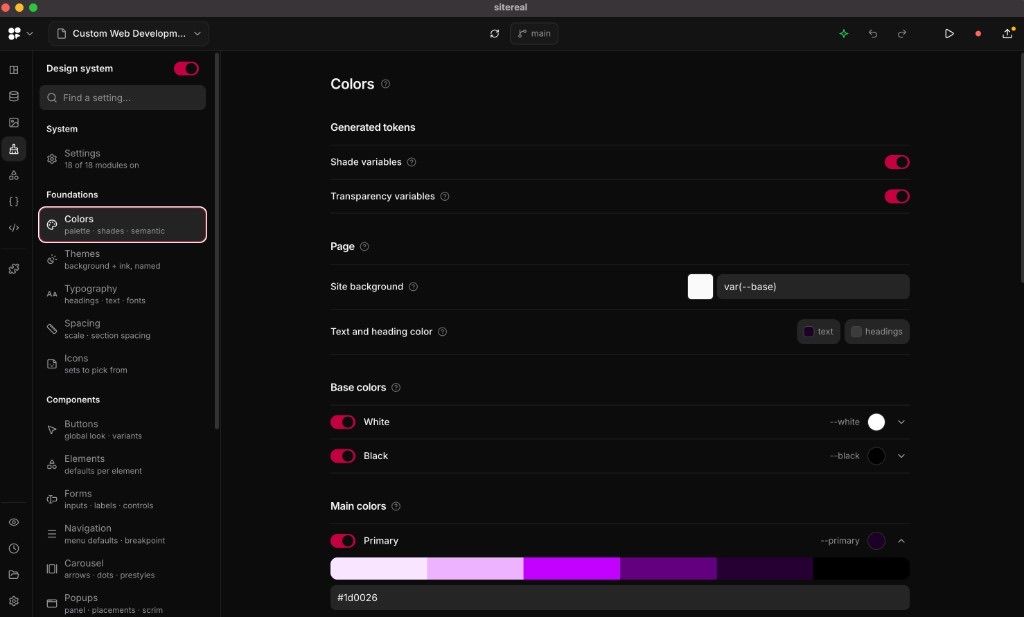
Most Astro projects eventually need the same foundational pieces: colors, themes, typography, spacing, icons, and shared component styles. Building that by hand is normal. Starting without a coherent place for it is exhausting.
sitereal gives you an opinionated design-system starting point: foundations for palette and tokens, then component-level controls for buttons, forms, navigation, and more. You can create your own variables and components on top of that structure. The organization is subjective, as every design system is, but it is an excellent starting point for client work instead of an empty stylesheet.
Content stays connected to Sanity
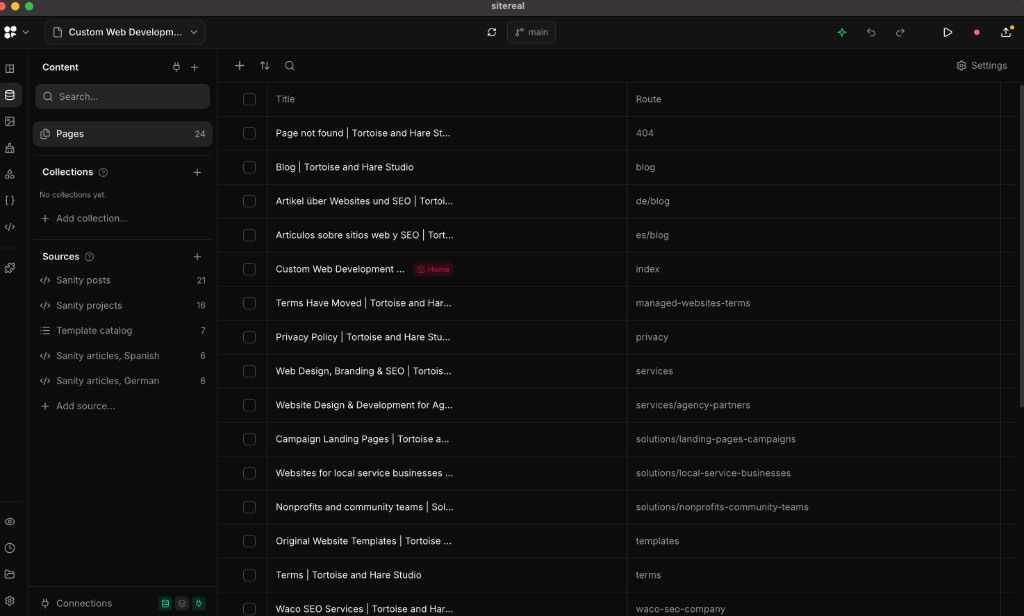
A visual builder only becomes useful for a studio site if it can live beside the CMS you already trust. In this project, sitereal's content panel shows pages and routes while Sanity remains the source for posts, projects, template records, and localized articles.
That matters because the canvas is not pretending to replace your content model. It is another way to compose pages that still read from the same data. For this studio, that means Sanity stays authoritative while sitereal handles visual composition around it.
Assets get a real manager
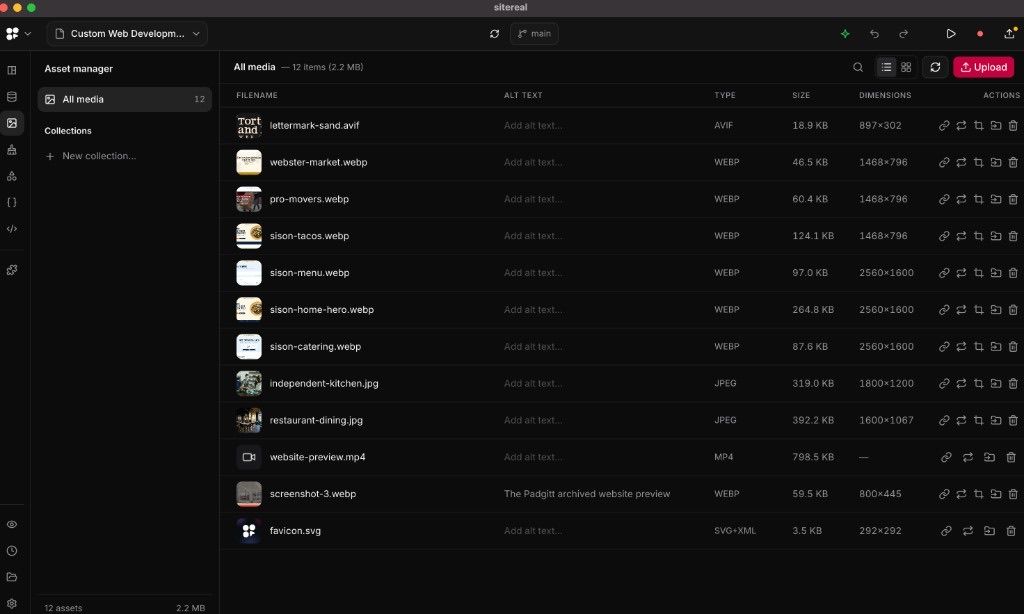
The asset manager lists the media loading on the site with filename, alt text, type, size, and dimensions. Modern formats like AVIF and WebP sit beside JPEG, SVG, and video in one place.
It sounds basic until you remember how often those details scatter across folders, CMS uploads, and ad-hoc previews. Keeping alt text and replace actions next to the files you are actually shipping is part of what makes the builder feel production-minded.
Real files, early product, useful already
According to its current documentation, sitereal writes ordinary .astro pages, components, styles, content, and supporting files into the repository. The deployed site does not need a sitereal runtime. Our plain-language guide to Astro still covers the framework itself; this article is about the visual layer on top of it.
Ownership boundaries remain. sitereal keeps its visual model in site.sitereal, and generated files can be rewritten on save. Custom work belongs in user-owned files when possible. Existing hand-written Astro pages stay separate unless you bring them into the visual model yourself.
sitereal also exposes builder operations through an MCP server, so a compatible coding agent can work through structured tools instead of an isolated prompt box. MCP, or Model Context Protocol, is the shared interface. sitereal's agent documentation demonstrates Claude Code and says other MCP clients can use the server.
As of October 14, 2026, sitereal's public changelog lists version 0.3.1. Its pricing page still lists a seven-day trial, a EUR 69 yearly license, and a EUR 99 lifetime launch price, regularly EUR 199. The product is early. It has already been useful enough that I am planning client work with it, while I keep testing updates, generated-file boundaries, repository behavior, agent permissions, and the path from local project to production.
If you are deciding how a visual workflow, content system, and framework should fit together, explore our web design and development work.